
Self Check-In for Airbnb: Key Safes, Smart Locks & Setup Guide (2026)
Self check-in Airbnb guide: key safes, smart locks, instructions template, late arrivals. Everything UK hosts need for a seamless autonomous check-in.
Cédric
Fondateur de ScanStay
When I started renting my two cottages in Normandy, I greeted every guest in person. Lovely for the first three months, exhausting after that. The day a couple arrived at 11pm on a Sunday night when I had to be up at 6am for work, I knew something had to change. Setting up self check-in literally transformed how I run my rentals.
Self check-in is the standard in 2026. Guests prefer it (no time pressure, no forced small talk after 8 hours of driving), and you get back dozens of hours every month. In this guide, I'm covering everything you need to set up a smooth, stress-free self check-in for your Airbnb: which equipment to choose, how to install it, what instructions to send, and how to handle late arrivals.
Why Self Check-In Has Become Essential
Three reasons make self check-in a necessity for any serious host in the UK.
Flexibility for your guests. Your guests arrive when they want, without disturbing you and without feeling guilty about a late arrival. A self check-in system eliminates 90% of messages like "We're running late, is that a problem?". The answer is always no, and you don't even need to say it.
Massive time savings. Do the maths: 15 minutes of greeting per turnover, multiplied by 80-100 turnovers per year for two properties — that's 20-25 hours spent shaking hands and showing people how the coffee machine works. With self check-in, that drops to zero.
Better reviews. Here's the counterintuitive truth: guests rate a well-prepared self check-in higher than a rushed in-person greeting. What matters isn't your physical presence — it's the clarity of your instructions and how easy it is to get in. If you're aiming for Superhost status, self check-in is an underrated weapon.
Key Safe, Electronic Lock Box, or Smart Lock: How to Choose
Before buying anything, you need to understand the three main categories of self check-in solutions. Each has strengths and trade-offs.
Quick Comparison
| Feature | Mechanical Key Safe | Electronic Lock Box | Smart Lock |
|---|---|---|---|
| Price | £15–£35 | £80–£180 | £150–£350 |
| Code change | Manual (on-site) | Via app | Via app |
| Battery | None | Yes (6-12 months) | Yes (6-12 months) |
| Access history | No | Yes | Yes |
| Temporary codes | No | Yes | Yes |
| Installation | Simple (screws or shackle) | Simple (screws or shackle) | Replaces existing lock |
| Internet needed | No | Bluetooth/WiFi | WiFi required |
| Reliability | Excellent | Good | Good (WiFi-dependent) |
The Mechanical Key Safe
The starting point for most hosts. A metal box with a 4-digit combination code, mounted near your front door. No battery, no internet connection, no software glitches. You put the key inside, share the code with your guest, and that's it.
Best models for UK hosts:
- Master Lock 5401D — The classic. Robust, weather-resistant, wall-mounted. Around £20-25. It's the one you see on 90% of UK holiday lets. It works.
- Master Lock 5400D — Slightly cheaper version with a shackle mount (hooks over a railing or pipe rather than screwing into a wall). Good if you can't drill into masonry.
- Supra C500 — The estate agent's choice. Larger, sturdier, and holds multiple keys. Around £30-35. Good for properties where you need to store more than one key.
The main downside: You need to go to the property to change the code between guests. If you live nearby, this isn't an issue — you change it during the changeover clean. If you manage remotely, it's a problem. Some hosts keep the same code for weeks or months, but that's a security risk I wouldn't recommend.
The Electronic Lock Box
The sweet spot between cost and convenience. You change the code from your phone, create temporary codes that only work during specific dates, and get a notification when someone opens the box. It's the solution I recommend for most UK hosts.
Best models:
- Igloohome Smart Keybox 3 — The market leader for holiday lets. Bluetooth-connected, time-limited codes, activity logs. Around £140-160. Works without WiFi (codes are generated algorithmically, so even if your internet goes down, the guest can still get in).
- Master Lock Select Access Smart — More affordable at around £80-100. Bluetooth connection, app-controlled. Not as feature-rich as the Igloohome but solid and reliable.
The key advantage: Temporary codes. You set a code that works only from 3pm on check-in day to 11am on checkout day. After that, it stops working. No security risk, no manual code changes, no need to visit the property.
The weakness: Batteries. They last 6-12 months, but if you forget to replace them, your guest is locked out. Set a reminder in your calendar three months before the expected expiry date. Some models send low-battery alerts to your phone — worth paying extra for.
The Smart Lock
The premium option. A smart lock replaces your existing door lock entirely. No key needed — guests enter a code directly on the lock or use their phone. No key safe, no physical key, no chance of a guest locking themselves out because they left the key inside.
Best models for UK properties:
- Yale Conexis L2 — One of the few smart locks specifically designed for UK doors (Euro cylinder compatible). Around £200-250. Bluetooth, WiFi module available, temporary codes, activity history.
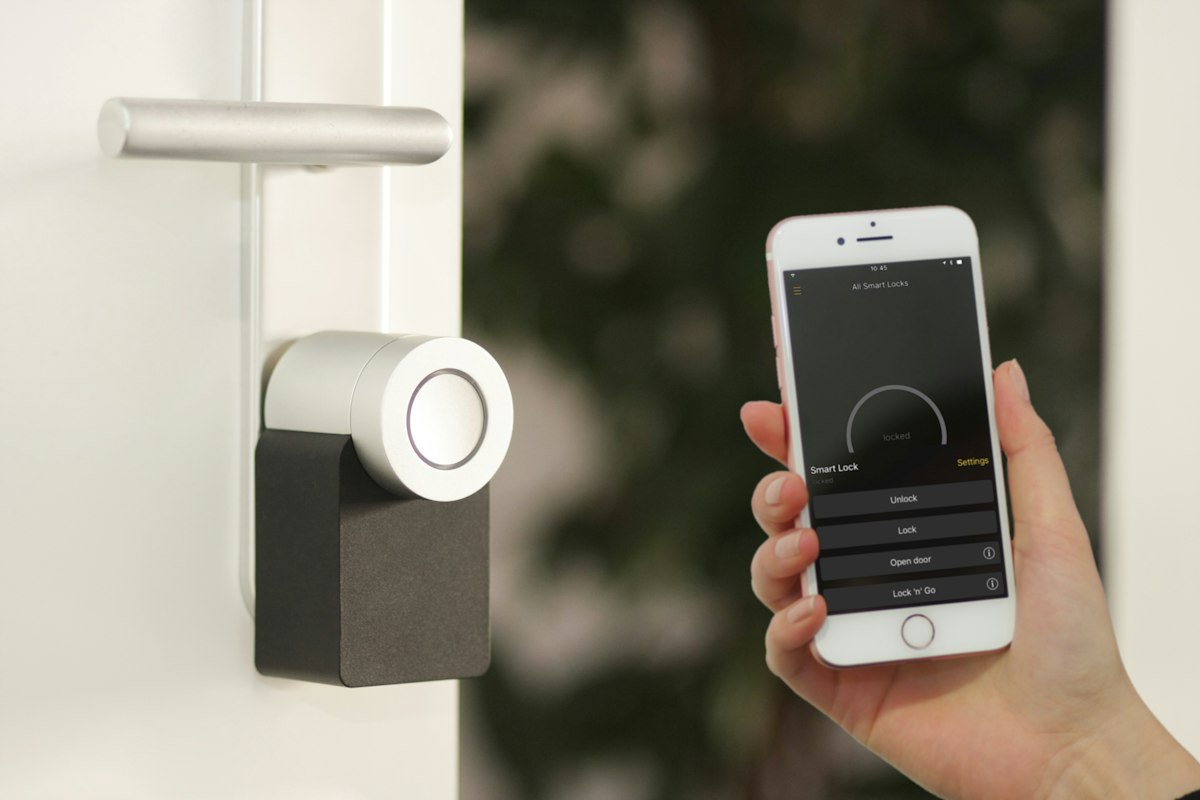
- Nuki Smart Lock 4.0 — Fits over your existing lock from the inside. Around £180-220. No locksmith needed for installation. Works with Alexa, Google Home, and Apple HomeKit. The WiFi bridge (£70 extra) enables remote access.
- Yale Linus L2 — Sleek design, easy installation (fits over existing cylinder). Around £230-280. App-based, temporary codes, auto-lock feature.
When a smart lock makes sense:
- You manage remotely and can't visit to change key safe codes
- You want to eliminate physical keys entirely (no lost keys, no key cutting)
- You have multiple access points (e.g., a main door and a separate entrance) and want consistent access control
- You want to give your cleaner their own permanent code with an activity log
When it doesn't:
- Your door isn't compatible (some older UK doors, especially period properties, have non-standard locks)
- Your WiFi is unreliable (a smart lock without internet is just an expensive regular lock)
- You're in a remote rural location with poor signal (Bluetooth has limited range)
- Your budget is tight (a £20 Master Lock does the same fundamental job)
How to Install a Key Safe Properly
If you're going with a key safe (mechanical or electronic), proper installation matters. A poorly mounted key safe is a security risk and an eyesore.
Choosing the location
Ideal placement:
- Near the front door but not immediately visible from the street
- On a solid wall (brick, stone, or concrete — not a fence or wooden panel)
- At waist to chest height (easy to reach, hard for children to access)
- Sheltered from direct rain if possible (under an overhang or porch)
- Well-lit (guests arriving after dark need to see the keypad)
Avoid:
- Inside a porch or gate that guests can't access without the key (circular problem)
- Hidden locations that are hard to describe in instructions ("behind the third bush on the left")
- Positions exposed to heavy weather on coastal properties
Mounting options
Wall-mounted (screwed in): The most secure option. Use the appropriate wall plugs for your wall type (masonry plugs for brick/stone, cavity fixings for plasterboard). Most key safes come with mounting hardware, but replace the supplied screws with longer, heavier-duty ones if your wall allows it.
Shackle-mounted: Some key safes have a shackle that hooks over a pipe, railing, or fixed object. Less secure than wall mounting but useful if you can't drill (listed building, rented property, or when your landlord won't allow it).
Important: Even a wall-mounted key safe can be prised off with enough force. The goal isn't to make it impossible to break into — it's to make it more effort than any casual opportunist would bother with. For most holiday lets, a well-mounted standard key safe is more than sufficient.
Writing Check-In Instructions That Actually Work
Your check-in instructions are make-or-break. Confusing directions or vague instructions lead to frustrated guests, late-night phone calls, and bad reviews. Here's how to write instructions that work every time.
The structure that works
Your check-in instructions should follow this exact order:
- Address and postcode (for sat nav)
- What the property looks like (one sentence + a photo)
- Where to park
- Where to find the key safe (specific location + a photo)
- The key safe code
- Which key opens which door
- What to do once inside (lights, heating, WiFi)
A template you can adapt
Getting to [Property Name]
The address is [full address, postcode]. Put [postcode] into Google Maps or your sat nav — it'll bring you right to the door.
[Property Name] is the [colour/description] house on the [left/right] as you come down [street name]. [Photo]
Parking: Park in the driveway / on the street directly outside / in the designated space marked [number].
Getting in: The key safe is on the wall to the [left/right] of the front door, at about waist height. [Photo]
Your code is: [CODE]
Turn the dials to the code, pull the cover down, and you'll find the front door key inside. Let yourself in and put the key back in the safe when you're settled.
Once inside:
- Light switches are on the wall to your right as you enter
- The heating thermostat is in the hallway — it should be set to [temp], adjust as you like
- WiFi network: [network name] / Password: [password]
Make yourself at home! If you need anything, just check the guest guide: [link to digital guest guidebook]
Why photos make all the difference
Text-only instructions leave too much room for confusion. "The key safe is to the left of the front door" could mean any of five positions depending on who's reading it. A photo eliminates ambiguity instantly.
Include photos of:
- The property from the street (so they know they're at the right place)
- The parking area
- The key safe location
- The key safe close-up (showing the dials)
- The front door
The best approach: put all of this into a digital guest guidebook with photos, which guests access from their phone. No scrolling through Airbnb messages, no downloading PDFs, no printing — just a link they tap.
When to Send Check-In Instructions
Timing matters. Send too early and the guest forgets. Send too late and they're already driving.
The ideal sequence
3 days before arrival: A short message confirming the booking and letting them know check-in details will follow. This reduces "haven't heard anything" anxiety messages.
The morning of arrival: Full check-in instructions with the key code, directions, and a link to your digital guest guidebook. By this point, they're packing or already on their way. The information is fresh in their mind.
1 hour before check-in time: A brief "Welcome! Everything's ready for you" message with the key code repeated. This catches guests who buried the earlier message.
You can automate this entire sequence using Airbnb's scheduled messages feature, or tools like Hospitable or ScanStay.
Handling Late Arrivals
Late arrivals are the number one reason hosts love self check-in. Here's how to handle them smoothly.
Set clear expectations in your listing
State your check-in window clearly: "Check-in from 3pm (no latest arrival time — arrive whenever suits you)." Guests need to know there's no penalty for arriving late. This single sentence eliminates most "is it OK if we arrive late?" messages.
Make sure your instructions work in the dark
If a guest arrives at 11pm, can they find your property, the parking, and the key safe without daylight? If not, you need:
- A sensor light at the entrance (solar-powered ones cost £15-20 and work brilliantly)
- A clearly visible house number or name plate
- Instructions that reference landmarks visible at night ("the property is lit by a porch light")
- A photo taken at night as well as during the day
Leave the heating on (or the AC in summer)
Nothing kills a first impression faster than walking into a freezing cold (or stuffy hot) property at midnight after a long drive. Set a timer or smart thermostat to have the property at a comfortable temperature from mid-afternoon onwards, regardless of when the guest actually arrives.
A welcome that doesn't require you to be there
Self check-in doesn't mean impersonal check-in. Leave a visible welcome touch:
- A handwritten note on the kitchen counter ("Welcome to [Property Name]! Everything you need is in the guest guide — scan the QR code on the fridge. Enjoy your stay!")
- A bottle of wine, some local produce, or homemade biscuits
- A printed QR code poster linking to your digital guest guidebook prominently displayed
These small touches cost next to nothing but make guests feel welcomed even when you're not physically present. And they directly contribute to the kind of 5-star reviews that earn you Superhost status.
Security Considerations
Self check-in means giving access codes to strangers. Here are the security measures every host should have in place.
Change codes between guests
With a mechanical key safe, change the code at every changeover. With an electronic lock box or smart lock, use temporary codes that auto-expire at checkout. Never leave the same code active for longer than necessary.
Don't share codes in publicly visible messages
Send the code via Airbnb messaging (which is encrypted) or through your digital guest guidebook (which can be secured). Don't include the code in your listing description or in any message that could be forwarded to non-guests.
Consider a camera at the entrance
A visible security camera (pointed at the entrance, not inside the property) deters misuse and provides a record of who enters. UK law requires you to disclose any cameras in your listing and avoid filming areas where guests have a reasonable expectation of privacy (bedrooms, bathrooms, gardens).
Insurance implications
Make sure your holiday let insurance covers self check-in arrangements. Most policies are fine with key safes and smart locks, but some require specific security standards. Check with your insurer.
Common Self Check-In Problems (and How to Prevent Them)
"I can't find the key safe"
Prevention: Clearer instructions, a photo of the exact location, a sensor light for after-dark arrivals. Include the key safe photo in your digital guest guidebook where guests can access it easily on their phone.
"The code doesn't work"
Prevention: Double-check the code is set correctly after every changeover. With electronic lock boxes, verify the temporary code is active for the correct dates. Have a backup plan (a spare key with a neighbour, or the ability to remotely unlock).
"The key safe is stuck/jammed"
Prevention: Regular maintenance. Spray the mechanism with WD-40 every few months. Replace the entire unit every 3-4 years (they degrade over time, especially in coastal locations). Keep a spare key safe in storage.
"I locked myself out"
Prevention: This is less common with key safes (the key stays in the safe when not in use). Remind guests in your house rules to return the key to the safe immediately after entering. Smart locks with auto-lock eliminate this entirely.
"The battery died on the lock box"
Prevention: Set calendar reminders to check batteries. Choose models with low-battery alerts. Keep spare batteries at the property (in a labelled drawer the cleaner can access).
Self Check-In Costs Summary
| Solution | Equipment Cost | Annual Running Cost | Best For |
|---|---|---|---|
| Mechanical key safe | £15-35 | £0 | Budget-conscious, nearby hosts |
| Electronic lock box | £80-180 | £5-10 (batteries) | Most hosts (best value) |
| Smart lock | £150-350 + bridge | £5-15 (batteries) | Remote management, keyless |
For most UK holiday let owners, an electronic lock box (£100-160) is the sweet spot. It pays for itself within weeks through saved time and eliminates the security risk of reusing codes.
FAQ
Is self check-in worse for guest experience than personal greeting?
No — in most cases, it's better. Guests consistently rate well-prepared self check-in higher than rushed or awkward in-person greetings. What matters is the quality of your instructions and the ease of access, not your physical presence. Combine self check-in with a digital guest guidebook and you'll deliver a better experience than most hosts who greet in person.
Do I need to offer both self check-in and in-person greeting?
No. It's perfectly fine to offer self check-in only. Airbnb actually has a specific filter for "self check-in" that travellers use when searching — it's a feature, not a compromise.
Can I use a key safe on a listed building?
Possibly, but you may need consent from your local conservation officer. Drilling into the exterior of a listed building typically requires Listed Building Consent. In this case, a shackle-mounted key safe or a smart lock (fitted internally) might be better options.
What if my guest loses the key?
With a key safe, the risk is lower (guests should return the key to the safe after entry). If it does happen, you'll need a spare key at the property or with a neighbour. With a smart lock, there's no physical key to lose — another argument in favour of keyless entry.
Should I keep a spare key somewhere else as backup?
Absolutely. Leave a spare key with a trusted neighbour, your cleaner, or a local friend. If your key safe fails, your smart lock dies, or a guest loses the key at 10pm, you need a backup that doesn't require you to drive to the property.