
How to List Your Property on Airbnb: Complete Guide for New Hosts (2026)
Step-by-step: how to create your Airbnb listing, write a compelling description, set your pricing, handle check-in and get your first 5-star review.
Cédric
Fondateur de ScanStay
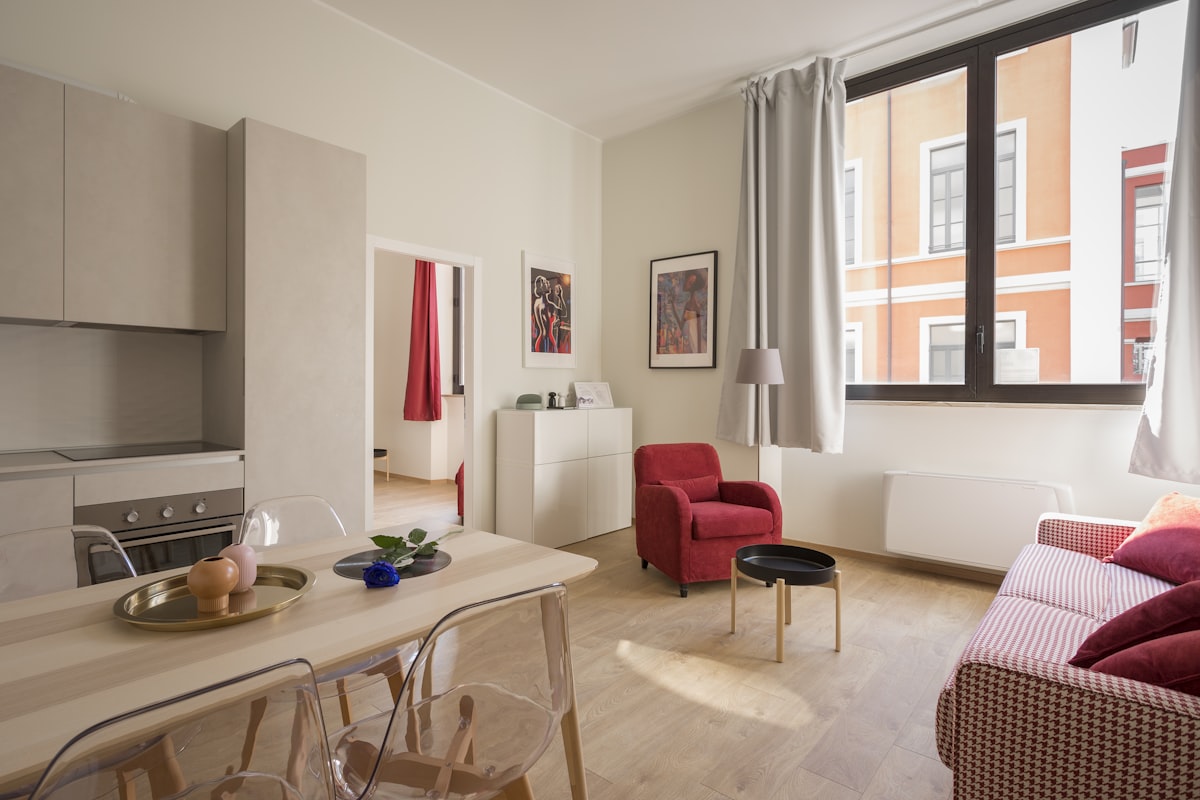
So you've decided to rent out your property on Airbnb — but you're not sure where to start. I've been hosting two cottages in Normandy, France for three years. In this guide, I walk you through every step of listing on Airbnb, from creating your account to welcoming your first guest.
No fluff, no theory — just what actually works.
Step 1: Create your Airbnb host account
Go to airbnb.com and click Become a Host. You'll need:
- A valid email address
- A phone number for verification
- A government-issued ID (for identity verification — Airbnb requires this before your first booking)
- A bank account or PayPal to receive payments
The sign-up process takes about 10 minutes. Airbnb will guide you through it step by step.
Important: use a professional email address if you plan to manage multiple properties, or if this is a genuine business activity. It keeps things clean from the start.
Step 2: Start your listing
Once signed in, click List your space. Airbnb uses a step-by-step wizard. Here's what you'll fill in:
Property type
Choose the type that matches your space:
- Entire home/apartment (most common, highest revenue potential)
- Private room (a room in your home)
- Shared room (rare, low price point)
For most hosts starting out, "Entire home" gives you the most control and the best nightly rates.
Location
Enter your full address. Airbnb shows guests an approximate location on the map (the exact address is only shared after booking). Make sure your pin is accurately placed — guests will use it to navigate.
Capacity and rooms
Enter the maximum number of guests, number of bedrooms, beds, and bathrooms. Be accurate: overstating capacity leads to disappointed guests and bad reviews.
Step 3: Write a listing that converts
Your listing copy is your most powerful sales tool. Most new hosts write generic descriptions and wonder why their calendar is empty.
The title: 50 characters that do the work
Your title is what guests see first in search results. It needs to answer: why should I click on this?
Bad: "Nice apartment in city centre" Good: "Sunny flat with terrace — 5 min from station | Netflix included"
Lead with your best asset. Use specific details. Avoid generic words like "cosy", "lovely", "charming" — every listing says that.
The description: structure sells
Break your description into clear sections:
- The space — what does the property actually look like? How many rooms, what's the layout?
- Guest access — exactly what guests have access to (entire flat, shared garden, private parking?)
- Other things to note — stairs, noise levels, parking restrictions, nearby building works
- The neighbourhood — what's within walking distance? Supermarkets, restaurants, transport links?
Write like you're talking to a guest who's never been to your city. Don't assume they know what "near the station" means in terms of walking time.
Amenities: tick everything that's accurate
Go through the amenities checklist carefully. Guests filter by amenities — if you have fast Wi-Fi, a washing machine, or a dedicated workspace, make sure it's ticked. These details directly affect whether you appear in guest searches.
Must-haves that boost bookings:
- Wi-Fi (specify the speed if it's good — "100 Mbps" beats "Wi-Fi available")
- Kitchen / full kitchen
- Washing machine
- Free parking (if applicable)
- Air conditioning (in warm climates)
- Long-term stay discount
Step 4: Photos — the make-or-break factor
Your photos are the single most important factor in your booking rate. Guests decide in 3 seconds whether to click through or move on.
What you need
- At least 20 photos
- Shot in natural light (open all blinds, shoot during the day)
- Horizontal orientation (not portrait — Airbnb's interface cuts off vertical shots)
- Cover: living room, bedroom(s), kitchen, bathroom, outdoor space, neighbourhood views
- A hero shot as your first image — the most visually striking angle of your best room
What most hosts get wrong
- Shooting at night with overhead lighting (yellowy, unflattering)
- Including personal photos, pets, clutter
- Forgetting to show the bathroom (guests care about this)
- Skipping the neighbourhood entirely
You don't need a professional photographer (though it helps). A recent iPhone or Android, good natural light, and a tidy space will get you 80% of the way there.
Step 5: Set your pricing
Pricing is where most new hosts leave money on the table — either by starting too high (no bookings) or too low (full calendar but poor revenue).
Starting price strategy
When you have zero reviews, you need to be slightly under-market to get your first bookings. Check 5 comparable listings in your area (same size, similar location), note their rates for the next month, and price yourself 10–15% below.
Once you have 3–5 reviews and a solid rating, you can gradually increase your price.
Smart Pricing: use it carefully
Airbnb's Smart Pricing adjusts your rate automatically based on demand. It can fill gaps in your calendar, but it tends to set prices lower than you'd want. Most experienced hosts use it as a floor-price tool: set the minimum price to what you actually need, then let Smart Pricing push higher when demand is strong.
Cleaning fee
Set a cleaning fee that reflects your actual costs (or your cleaner's rate). A common mistake: setting a very low nightly rate with a high cleaning fee. It looks good in search results but guests calculate total cost — and a £15/night flat with a £80 cleaning fee for a 2-night stay is uncompetitive.
Length-of-stay discounts
Airbnb lets you set weekly (7+ nights) and monthly (28+ nights) discounts. These are worth activating — longer stays mean less turnover work, and you often earn more per month with fewer gaps in your calendar.
Step 6: Set your house rules and cancellation policy
House rules
Be specific. "No parties" is a rule. "Maximum occupancy: 4 people, no additional overnight guests" is a better one.
Common rules to set:
- No smoking (and whether this includes balconies)
- Pets: allowed / not allowed / allowed with prior approval
- No parties or events
- Quiet hours (e.g. after 10pm)
- Check-out instructions (rubbish, windows, keys)
Cancellation policy
Choose a policy that balances your needs with guest expectations:
- Flexible: guest gets a full refund if they cancel 24h before check-in. Best for starting out — lowers the barrier for first-time bookers.
- Moderate: full refund up to 5 days before. Good middle ground once you have reviews.
- Strict: 50% refund up to 7 days before. Better revenue protection once you're established.
Most new hosts start with Flexible or Moderate to build their initial reviews faster.
Step 7: Check-in and the guest experience
Check-in method
You have several options:
- Keybox / lockbox: a code is shared automatically before arrival. Most flexible — no scheduling needed.
- Smart lock: guests get a unique code that expires at checkout. Best experience, but requires hardware investment.
- In-person key handover: works for some hosts, but ties you to specific arrival times.
Whatever you choose, document it clearly in your check-in instructions (in your Airbnb listing and in a message sent automatically before arrival).
The guest guidebook
This is where many hosts underinvest — and where the difference between 4.8 and 5.0 reviews often lies.
A complete digital guest guidebook means:
- Guests find the Wi-Fi code immediately without messaging you
- They know how to use the washing machine without guessing
- They have curated local recommendations for restaurants, supermarkets, activities
- They know exactly what to do at checkout
The result: fewer messages, fewer problems, better reviews. One QR code at the entrance, and guests have everything on their phone from the moment they arrive.
ScanStay lets you create a digital guidebook in under an hour, with automatic translation into 25+ languages — so your French, German, or Spanish guests read everything in their own language.
Step 8: Get your first reviews
Everything in your first weeks as a host is about getting 5-star reviews quickly. Here's how:
- Price slightly below market for your first 3–5 bookings
- Message guests promptly — response rate and speed affect your search ranking
- Send a welcome message the day before arrival with all the key information
- Leave a review for guests within 14 days — this prompts them to review you back
- Ask (politely) in your checkout message — "If you had a great stay, we'd love a review"
Aim for Superhost as quickly as possible: 10 completed stays, 4.8+ average rating, 90%+ response rate, no cancellations. It significantly increases your search visibility.
Checklist: before publishing your listing
- At least 20 photos, first image is your hero shot
- Title leads with your best asset (not generic adjectives)
- Description covers: space, access, neighbourhood, what to note
- All applicable amenities ticked
- Pricing set with cleaning fee and length-of-stay discounts
- House rules specific and complete
- Check-in instructions written out clearly
- Digital guest guidebook created with Wi-Fi, appliances, local tips
- Cancellation policy chosen (Flexible recommended for first listings)
FAQ: listing on Airbnb
How long before I get my first booking?
Typically 1–2 weeks for a well-optimised listing at competitive pricing. New listings sometimes get a visibility boost from Airbnb ("new host" placement) — take advantage of it by having everything ready before you publish.
Do I need to be present for check-in?
No. A keybox or smart lock means guests can self check-in any time. Most guests prefer it — it removes the constraint of matching schedules. Include a personal welcome note or message to maintain the human touch.
How does Airbnb pay me?
Airbnb releases your payout 24 hours after the guest checks in. You receive it in your bank account within 1–3 business days depending on your bank. You can track all payments in the "Earnings" section of your host dashboard.
Can I decline bookings?
Yes, but use it sparingly. A high cancellation or declination rate affects your search ranking. If someone's profile looks concerning, message them first to get more context before deciding.
Should I use Instant Book?
Instant Book (guests can book without your approval) increases your bookings significantly — Airbnb prioritises Instant Book listings in search. The trade-off: you can't vet every guest individually. Most experienced hosts use it once they've established house rules and have a good review base.
Article written by Cédric — host of two cottages in Normandy and founder of ScanStay.